- Latest
- Featured
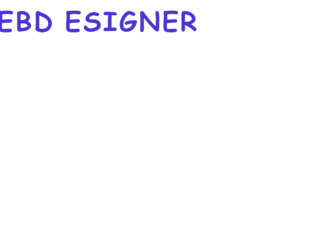
This is a flip effect for the text using CSS. The letters are separated with a tag in HTML, the CSS adds the effect along with the width, font, and animation. The cursive style of Cookie family matches this fill effect. The animation lasts for 2s and starts over again and goes forever (infinite). The effect is applied to each span element with animation-delay of 1sec each. To maintain the space between the two worlds, the 4th span (letter) is set with the margin to the right. The keyframe property set the animation and rotates each element by 1 turn. The media screen property sets the font size for different screen size. Overall the effect added is easy, with little understanding of CSS styling and animations you can have a perfect text effect for your website. Also, these animations are is not supported in Internet Explorer 9 and earlier versions.
Text Style 3
4.3.1

Text with the bouncy effects is seen on a modern website. The CSS has changed the way we see the text, with the effects, added we feel the text than just reading it. This is one of the happy bouncy effects where each letter is separated with a tag in HTML script. The CSS makes it look bold and colorful along with the bouncy effect added to it. Each element here is a bounce for 2.2sec, the delay in the bouncy effect makes each letter bounce after the scheduled time. The @keyframes settings set the actual bouncy effect with the percentage translated to the pixels. The media screen is set to display the size of font accordingly. These effects are catchy and attention seeker can be easily used in the web applications. For different browsers, the distribution of the pixels may differ and you need to test these effect on different types of browsers.
Text style 2
4.3.1

When we usually talk of communication in the web application, its usually the simple textually way along with an additional picture with it. This concept is still being followed, but with the CSS Textual Effects, there is a change in reading and viewing the text. The CSS effects make a text look attractive and help to give style to the text. This is one of the cool and stunning effects which can be added to companies name or to the text which needs attention. Each element in the HTML is separated with the this element is then styled with the font-size and text-shadow along with the animation of ease-in-out infinite alternative. The animation is also delayed by a few seconds for each letter giving a wavy effect. @keyframes sets the rule to text-shadows of each element. The snippet has media rules to set the font size according to the display screen.
Text style 1
4.3.1

This is a fun textbox, where the text box is created in a notepad style. HTML markup is simple with a form and a textbox, with 4 rows allowed to enter. The CSS styling created the magic of styling this textbox like a notebook with rows. The form defines the font-size and the color of the paper. The entire textbox is styled with properties like width, overflow, line height and padding which gives a perfect picture of the notebook along with to the background images. Enter the words on each line you will notice that the textbox does not come to an end nor there is any word limit to this text box. Here the background image is repeated using the background-repeat property. This decides how the image will be repeated. Make sure the length of the lines.png matches with the textbox as repeating this image will repeat the red margin on the extreme right.
A funny textbox
4.3.1

Texts are usually highlighted for quick reading and bettering understanding of the story or concept. This snippet is one which changes the perspective of the text and highlighted text and still maintains the length of highlighted area over the text. Here position of the is placed behind the . Javascript copies the text entered into the to the which is position behind. The container servers as the anchor to position other elements. The highlight is nested within the brackdrop, the is used to highlight the text inside the highlighted . CSS plays important role as it need to be perfect with the pixels of the highlighted and text area. The styles are fixed as different browsers adds different margins. Javascript keeps the text and the marked area in sync, also helps to scroll them in sync.

This is one of the formal looking chat rooms where the user can search for recent conversations. With scrollbar enabled on each panel, the user can easily search the conversations. With the Bootstrap messaging component wrapping two sections namely, inbox_people and incoming_msg. The first section contains the list of people and the search element to search the inbox people, the second section contains the incoming and outgoing messages along with the date and time stamp. The incoming and outgoing messages are easily recognizable by the style used to display them. In the end, you have input and send buttons to send the messages. Along with this, you can modify to have searched for messages, cloud attachment for the files. Also the minimize, toggle close buttons will enable it to display in a small set of the window. You can have your modifications and working script to use this chat window.
Chat window
4.3.1

A chat room allows the communities or user to communicate, usually, these users have a common interest. This uses Bootstrap 4.0 components and chats components, it displays almost all the elements required to be on the chatbox. The left panel displays the users who were connected. You can search these users or their conversations using the search panel displayed on the top. Next is of the chat room where the incoming and outgoing messages are displayed along with the avatar of the user. The chat room has the settings to change the user profile with login and logout actions. Below you have the input for messages with the send button. Along with all this, the chat room is enabled with the cloud upload for any files. Every class is styled well but needs a good finishing look to suit your application or website.
chat room design
4.3.1

This chat created using bootstrap components is by itself complete with its features and functions. With the iframe in place, the HTML markup perfectly fits all the components, the side panel defines the search with its place holder along with all the contacts displayed. It has a tag which defines the display picture quotes. In the bottom bar of the side panel, you have “add contacts” and settings for this application. On the right, you see the incoming and outgoing message well placed with the avatar placed beside it. At the footer, you have an input box along with functional send icon. The javascript is quite powerful with setting the status of active, online, busy, away and offline. Try adding a new message and you would see your message in the chatbox. The side panel is very well placed using the styling which makes the messages readable.