This is an example of an animated accessible menu with a toggle button, designed using HTML, CSS, JavaScript, and Bootstrap framework 4. The concept of Lists has been used with UL and LI components. UL element has been used with the child elements of LI to display the menu items in an orderly manner. JavaScript functions have been used to implement the menu expand features. The toggle button is given the styles of display as inline-block, position as absolute, background as transparent, right as 15px, top as 15px, and cursor as pointer to get the hand cursor effect in a hover event, border-radius as 50% to get the circle shape, and transition as background-color .15s linear. The button changes its background color to rgba(0,0,0,.5), in a hover event. The menu- list items are given the styles of color as white, display as block, text-align as center, text-transform as uppercase to automatically convert the text to uppercase, letter-spacing as 5px, font-size as 1.25rem, and padding as 1rem, which take background-color of rgba(0,0,0,0.2), in a hover and an active event. To animate the menu icon, a transform style of rotate(180deg), is given.
Source: https://codepen.io/mxbck/pen/xdaGNL
This is an example of a flat navigation bar with hover effects, designed using HTML, CSS, and Bootstrap framework 4. The concept of Lists has been used with UL and LI components. UL element has been used with the child elements of LI to display the menu items in an orderly manner. The navigation bar is given five list items, whereas the form consists of four navigation bars. The body of the form is given the background color of #1b1b1b. The menu items are given the styles of position as relative, display as block, text-align as center, width as 62px, and height as 66px. In a hover event, the background color of the list items turn to #b651d8, #71c55e, #fab904, #e94739, and #407ded, respectively. The top navigation bar takes the background fill effect from top to bottom, whereas the others take it from left to right, bottom to top, and right to left, respectively.
Source: https://codepen.io/seyedi/pen/vBlCe
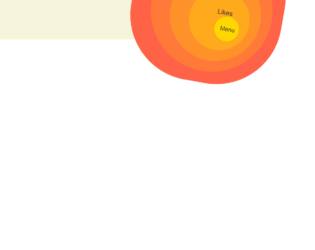
This is an example of a web form with a rings navigation button, designed using HTML, CSS, JavaScript, and Bootstrap framework 4. The fonts are imported to the code with the URL whereas the JavaScript functions are used to implement the button expand function. The colors and values are predefined as $size : 50px, $items : 5, $transition : .5s, $bounce : cubic-bezier(.3,1.4,.5,.9), $color-inner : gold, $color-outer : tomato, $background: mix($color-inner, $color-outer), $black : shade($color-outer, 80%), $start-scale : .5, and, $start-rot : 190deg. The body of the form is given the styles of background as beige, and font-family as Alegreya Sans, sans-serif. The toggle button has the styles of line-height as $size*2, width as $size*2, background as $color-inner, and opacity as 1. The button takes the styles of background as shade($color-inner, 90%), and text-decoration as underline in a hover event, and background as shade($color-inner, 50%), color as rgba($color-inner, .5), transform as scale(.9), in the active mode. The menu items in the disc are given the different shades of gold color with the font style set as $size*.5 Alegreya Sans, sans-serif.
Source: https://codepen.io/bennettfeely/pen/qRJOZJ
This is an example of a web layout with responsive buttons with hover effects, designed using HTML, CSS, and Bootstrap framework 4. The fonts are imported to the code with their URLs. The body of the form is given a background color of #1D1F20. There are four buttons in the form named as Settings, Random, Download, and Messages. The buttons are given the styles of background as linear-gradient(to right, #2a2d35 0%, #353742 100%), border-color as #404454 white black red, border-style as solid, border-width as 2px 0px 2px 0px, color as #00FFAD, font-size as 35px, height as 76px, line-height as 76px, text-align as center, text-shadow as 0px -2px 1px #23252B, 0px 2px 2px #23252B, 0px 0px 20px #049B6A, width as 80px, and cursor style as pointer to get the hand cursor effect in a hover event. The button names have the styles of cursor as pointer, font-family as hipster, font-size as 25px, height as 76px, line-height as 76px, and margin-top as -76px. In a hover event, the buttons take the styles of background as linear-gradient(to right, #393c47 0%, #4a4e5b 100%), color as #FFD5A0, font-size as 45px, and text-shadow as 0px 0px 20px #FF8E00, 0px 2px 0px #23252B, 0px -1px 0px #23252B.
Source: https://codepen.io/Trinca/pen/rLqNXv
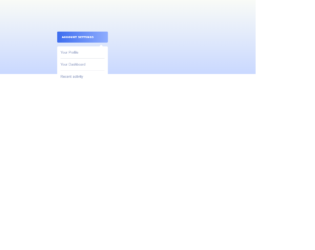
This is an example of a custom dropdown menu with hover effects, designed using HTML, CSS, JavaScript and Bootstrap framework 4. The fonts and icons are imported to the code with their URLs. The concept of Lists has been used with UL and LI components. UL element has been used with the child elements of LI to display the menu items in an orderly manner. The JavaScript functions have been used to implement the expanding functions of the menu button. The body of the form is given the styles of font-family as 'Raleway', sans-serif, background as linear-gradient(to bottom,#f9fbf7, #C9D8FF), height as 100%, display as table, width as 100%, and text-align as center. The dropdown menu button is given the styles of background as linear-gradient(to right,#3d6def, #8FADFE), display as inline-block, line-height as 40px, padding as 0 18px, text-align as left, border-radius as 4px, box-shadow as 0px 4px 6px 0px rgba(0,0,0,0.2), and cursor style as pointer to get the hand cursor effect in a hover event. The name of the button has the styles of font-size as 9px, and text-transform as uppercase to automatically convert the text to uppercase. The menu items take the background color of #3d6def, in a hover event.
Source: https://codepen.io/veronicadev/pen/JLoaVg
This is a mobile navigation layout with a toggle button, designed for Netflix using HTML, CSS, JavaScript, and Bootstrap framework 4. The images and fonts are imported to the code with their URLs. The concept of Lists has been used with UL and LI components. UL element has been used with the child elements of LI to display the menu items in an orderly manner. The JavaScript functions have been used to implement the expanding functions of the toggle button, whereas media quarries have been used to make the form responsive. The body of the form is given the styles of font-family as 'Muli', display as flex, flex-direction as column, height as 100vh, align-items as center, and justify-content as center. The header of the form is given a text0-transform style as uppercase to automatically convert the text to uppercase. The cursor style for the navigation button is set as pointer to get the hand cursor effect in a hover event. The child elements of the menu are set to be visible in a checked event of the menu button, in a white background after displaying a red, and a black background. The black background is given a color of RGB(34, 31, 31), whereas the red background has the color of RGB(229, 9, 20). Source: https://codepen.io/FlorinPop17/pen/KKPBgeQ