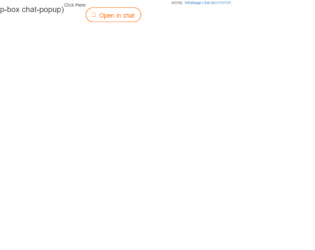
Popup-box is the best example of small talks like messengers. With the fewer amounts of code and memory, you can use this for the best performance of your application. It is the best way for simple and short talks with clients. With a click on the “open chat”, you get the entire chat box popup. The popup head contains the image at the left side where are few setting at the right. Next, are the messages in popup-messages, where you would get direct chat messages to the right and the image to the messenger to the left, a dotted border spans the entire conversation, this is well-styled in CSS along the left side. Next is the timestamp. The date and time for the next conversation are displayed at the top of the conversation. This can be modified accordingly for the usage in your applications.
A thoughtfully done chat similar to hangout represents most of the features of the hangout. Features like scrollbar to view previous messages, the images of the sender before the messages and the name of the sender along with the time below the messages. The box also has the functional icons like minimizing the window along with closing or removal of the window. This uses the Bootstrap 3-panel components along with the header, body, and footer. The panel header contains the title, along with the icons for minimizing and closing the windows. Functions for these icons are in JS File. Next, is the panel-body containing all the messages, avatar and timestamp. Last is the panel footer containing the input group along with the primary buttons. The CSS styling exactly fits all the components inside the chart window. Along with these features, you can add maximizing the window and search feature in the header portion of the panel.
A thoughtfully done chat similar to hangout represents most of the features of the hangout. Features like scrollbar to view previous messages, the images of the sender before the messages and the name of the sender along with the time below the messages. The box also has the functional icons like minimizing the window along with closing or removal of the window. This uses the Bootstrap 3-panel components along with the header, body, and footer. The panel header contains the title, along with the icons for minimizing and closing the windows. Functions for these icons are in JS File. Next, is the panel-body containing all the messages, avatar and timestamp. Last is the panel footer containing the input group along with the primary buttons. The CSS styling exactly fits all the components inside the chart window. Along with these features, you can add maximizing the window and search feature in the header portion of the panel.
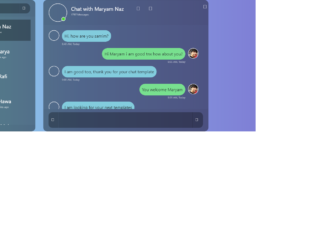
This is one of the sleek and modern designs for your smaller screen applications. Wrapped under the container this design is responsive. This uses the card components of the bootstrap along with the card-header, card-body, and card-footer. The HTML markup is well designed with a card header containing search bar to search the group or specific person. The body contains the contacts decorated with the d-flex. This enables the contacts details like image and user information. Span element displayed under the image and user information gives an extract details availability of the user. With the division of columns required to display the details and live chat, snippet displays the incoming and outgoing messages along with the message details, the time and images of the receiver and messenger. This snippet gives the details of the chat box which can be easily implemented. Take care of the background color of your application and snippet used.
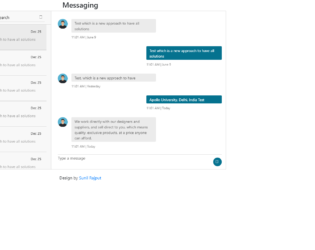
Message Chatbox looks like a simple component in your web page but it takes your business to the next level. It is not just a necessity for your business to grow, but it also helps to communicate with customers and also decreases the company expenses by allowing the user to chat simultaneously and live. This is one of the Chat Box snippets where the users can communicate and is complete in terms of design. Enclosed in the messaging class, it contains two sections 1) incoming messages displayed under inbox_msg 2) message history with an incoming and outgoing message. To have a chatbox you need to have few requirements in design like a simple search box, user names with avatars displayed and the time stamp with date and time displayed. This design gives these details and can be integrated as a plugin to your application.