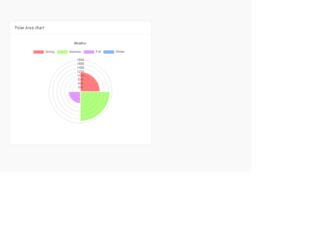
This is an example of a bootstrap polar area chart layout, designed using CSS, HTML, JavaScript, and bootstrap 4 framework. Chartjs library has been imported to implement the area chart along with bootstrap styles. JavaScript has been used to apply filters to the chart. The chart sections: Spring, Summer, Fall, and Winter are assigned the colors rgba(255, 0, 0, 0.5), rgba(100, 255, 0, 0.5), rgba(200, 50, 255, 0.5), and rgba(0, 100, 255, 0.5), respectively. Media queries have been used to make the form responsive. The body of the form is given a background color of #f9f9fa, a flex styles of 1, and a padding of 5rem. The chart card is given the styles of background as #fff, border-radius as .25rem, box-shadow as 0 1px 3px rgba(0, 0, 0, .05), border as 1px solid rgba(19, 24, 44, .125) and the margin-bottom as 1.5rem. The card header has the styles of padding as .75rem 1.25rem, background-color as rgba(19, 24, 44, .03), and, border-bottom: 1px solid rgba(19, 24, 44, .125), whereas the card footer is given a border-color of rgba(160, 175, 185, .15). The style word-wrap: break-word has been used to break words and wrap into the next line.

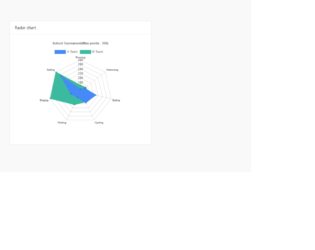
This is an example of a bootstrap radar chart layout, designed using CSS, HTML, JavaScript, and bootstrap 4 framework. Chartjs library has been imported to implement the radar chart along with bootstrap styles. JavaScript has been used to apply filters to the chart. The school teams: A Team and B Team are assigned the colors #458af7, and #3cba9f, respectively. Media queries have been used to make the form responsive. The body of the form is given a background color of #f9f9fa, a flex styles of 1, and a padding of 5rem. The chart card is given the styles of background as #fff, border-radius as .25rem, box-shadow as 0 1px 3px rgba(0, 0, 0, .05), border as 1px solid rgba(19, 24, 44, .125) and the margin-bottom as 1.5rem. The card header has the styles of padding as .75rem 1.25rem, background-color as rgba(19, 24, 44, .03), and, border-bottom: 1px solid rgba(19, 24, 44, .125), whereas the card footer is given a border-color of rgba(160, 175, 185, .15).

Radar chart

4.3.1
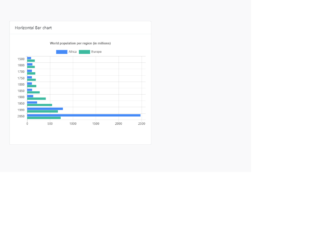
This is an example of a web form with a horizontal bar chart layout, designed using CSS, HTML, JavaScript, and bootstrap 4 framework. Chartjs library has been imported to implement the bar chart along with bootstrap styles. JavaScript has been used to apply filters to the chart. The chart bars: Africa and Europe are assigned the colors #458af7, and #3cba9f respectively. Media queries have been used to make the form responsive. The body of the form is given a background color of #f9f9fa, a flex style of 1, and padding of 5rem. The chart card is given the styles of background as #fff, border-radius as .25rem, box-shadow as 0 1px 3px rgba(0, 0, 0, .05), border as 1px solid rgba(19, 24, 44, .125) and the margin-bottom as 1.5rem. The card header has the styles of padding as .75rem 1.25rem, background-color as rgba(19, 24, 44, .03), and, border-bottom: 1px solid rgba(19, 24, 44, .125), whereas the card footer is given a border-color of rgba(160, 175, 185, .15).
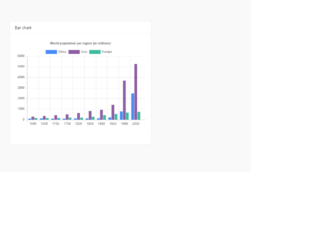
This is an example of a web form with a bar chart layout, designed using CSS, HTML, jQuery, and bootstrap 4 framework. Chartjs library has been imported to implement the bar chart along with bootstrap styles. JavaScript has been used to apply filters to the chart. The chart bars: Africa, Asia, and Europe are assigned the colors #458af7, #8e5ea2, and #3cba9f, respectively. Media queries have been used to make the form responsive. The body of the form is given a background color of #f9f9fa. The form is given a flex styles of 1, and a padding of 5rem, whereas the chart card has been given the styles of background as #fff, border-radius as .25rem, box-shadow as 0 1px 3px rgba(0, 0, 0, .05), border as 1px solid rgba(19, 24, 44, .125) and the margin-bottom as 1.5rem. The card header is given the styles of padding as .75rem 1.25rem, background-color as rgba(19, 24, 44, .03), and, border-bottom: 1px solid rgba(19, 24, 44, .125), whereas the card footer is given a border-color of rgba(160, 175, 185, .15). Media queries have been used to make the form responsive.
This is an example of a web form with a line chart layout, designed using CSS, HTML, jQuery, and bootstrap 4 framework. Chartjs library has been imported to implement the line chart along with bootstrap styles. JavaScript has been used to apply filters to the chart. The chart lines Africa, Asia, and Europe are assigned the colors #458af7, #8e5ea2, and #3cba9f, respectively. Media queries have been used to make the form responsive. The body of the form is given a background color of #f9f9fa. The form is given a flex styles of 1, and a padding of 5rem, whereas the chart card is given the styles of border-radius as .25rem, box-shadow as 0 1px 3px rgba(0, 0, 0, .05), margin-bottom as 1.5rem, background-color as #fff, and the border as 1px solid rgba(19, 24, 44, .125). The card header is given a background-color of rgba(19, 24, 44, .03), and a border-bottom of 1px solid rgba(19, 24, 44, .125), whereas the card footer is given a border-color of rgba(160, 175, 185, .15).

Line chart

4.3.1
This is an example of a bootstrap feature block with images, designed using HTML, CSS, and Bootstrap framework 4. The fonts are imported to the code with its URL. The web form is given the styles of font-family as "Montserrat", sans-serif, background color of #8d97ad, and font-weight as 300. The h1 to h6 sections are given a color of #3e4555 and a font-weight of 500. The card titles are given the styles of line-height as 22px, and font-size as 18px, and the background color of the form is set as #f4f8fa. The card titles are also given a text color of #3e4555, which changes to #316ce8, in a hover event. The text icons are given a style set of width as 80px, line-height as 80px, and font-size as 2rem, whereas the font color of the icons is set to #2cdd9b. The View Details button is given a background color of #2cdd9b and also the linear gradient color of that, for the browsers that support linear gradient colors. It changes its color to linear-gradient #1dc8cc, in a hover event.