This is an example of a bootstrap user profile card layout, designed using HTML, CSS, JavaScript and bootstrap framework 4. The images and fonts are imported to the code with their URLs. Media queries have been used to increase the responsiveness of the form, whereas JavaScript has been used to switch between the cards. The body of the form is given a style set of height as 100%, font-family as work sans, and overflow as hidden. The container is given a style set of display as flex, background as #FCE4EC, align-items as center, flex-flow as row, and transition as background .5s ease. The add button is given a height and width of 40px, background as #EC407A, border-radius as 50%, color as #fff, align-items as center, font-size as 24px, font-weight as 500, box-shadow as 0px 2px 10px 0px rgba(0, 0, 0, 0.4), transition as all .2s ease-out, and cursor as pointer to get the hand cursor effect. In a hover event, the button takes a background as #F06292, transform as scale(1.1), and transition as all .2s ease-out.
Source: https://codepen.io/rahulsingha/pen/YzPeJJa
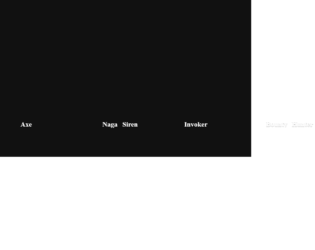
This is an example of a bootstrap web form with profile cards with CSS scrolling option, designed using JavaScript, CSS, bootstrap framework 4 and HTML. The images and bootstrap styles are imported to the code with their URLs, whereas the ability to scroll the profile cards with the mouse wheel is implemented in JavaScript. The background of the form is given a style set of background as #111, font-family as "Comfortaa", sans-serif, and min-height as 100vh. The width and height for the card image are set as 17em, and 400px, respectively. The card image is also given the styles of margin as 40px 20px, min-width as 17em, scroll-snap-align as center, background as #f8f8f8, height as 400px, and border-radius as 20px. The font color for the title is set as #ccc, with the font style set to 900 100px/1 Muli. A text-transform style as uppercase is given to automatically convert the text to uppercase. The cursor style for image card is set as pointer to get the hand cursor effect in a hover event, as well as a box-shadow style of 0 0 30px rgba(255, 255, 255, 0.2).
Source: https://codepen.io/reguia/pen/rNadwEJ
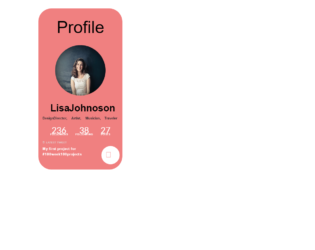
This is an example of a simple bootstrap profile card layout, designed using HTML, CSS, and bootstrap framework 4. The images, icons, and fonts are imported to the code with their URLs. The concept of Lists has been used with UL and LI components. UL element has been used with the child elements of LI to display the details in an orderly manner. The profile card is designed using the CSS grid. The body of the form is given a style set of font-family as "Lato", sans-serif, font-size as 16px, and line-height as 1.7. The container is given the styles of background as lightcoral, width as 20rem, margin as 2em 0, padding as 2em 1em, border-radius as 50px. The title is given the styles of font-size as 4rem, font-weight as 300. The hobby section is given a text-transform style as capitalize to convert the first letter of each word to capital. The comment button takes the effects of border as 1px solid #fff, background as transparent, and color as #fff, in a hover event.
Source: https://codepen.io/zidniryi/pen/RwNBxZE
This is an example of a bootstrap profile card layout with hover effects, designed using HTML, CSS, and bootstrap framework 4. The images, CSS styles, and fonts are imported to the code with their URLs. Media queries have been used to increase the responsiveness of the form. The form is given a font-family of 'Roboto', sans-serif, whereas the container head is given a linear gradient color. The profile picture has the styles of border-radius as 100% to get the circular shape, border as solid, border-width as 4px, and border-color as white. The text-transform style for the name is set as uppercase to automatically convert the text to uppercase. The "message" button is given the styles of border as solid #ff2d55 1px, border-radius as 50px, background-color as #ff2d55, text-transform as uppercase, letter-spacing as 5px, cursor as pointer, font-size as 12px, and color as white, whereas the "follow" button has the same styles except background color as #ffffff, border as solid gray 1px, and color as RGB(49, 49, 49). In a hover event, message button takes the effects of background-color as #ffffff, and color as RGB(54, 54, 54), whereas the follow button takes background-color as #408afa, color as RGB(255, 255, 255), and border-color as #408afa.
Source: https://codepen.io/panshak/pen/KKwBYap
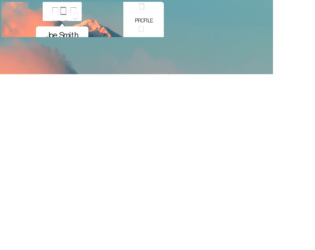
This is an example of a bootstrap animated profile card layout with hover effects, designed using HTML, CSS, and bootstrap framework 4. The images and icons are imported to the code with their URLs. Media queries have been used to increase the responsiveness of the form. The body of the form is given width as 100vw, height as 100vh, filter as blur (30px), and transform as scale(1.1). The profile card is designed using the CSS grid. The profile section is given the styles of transform-style as preserve-3d, transition as all 1s ease-in-out, and transition-delay as 0.1s. The profile image has the styles of border-radius as 50% to get the circular shape and cursor as pointer to get the hand cursor effect. In a hover event, the image takes a transform effect of rotateY(180deg) to display the backside icons. The font-family for content is given as 'Oswald', sans-serif. The bottom and right sections are given a text-transform style as uppercase to automatically convert the text to uppercase, whereas the icons on the right section turn their color to hsl(0, 0%, 20%), in a hover event.
Source: https://codepen.io/CrackAll/pen/abzjQwv
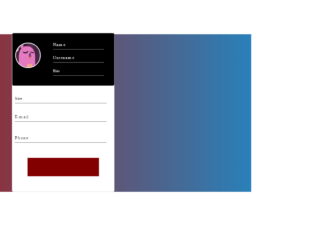
This is an example of a bootstrap animated profile card layout with hover effects, designed using HTML, CSS, and bootstrap framework 4. The images, CSS styles, and fonts are imported to the code with their URLs. The body of the form is given a linear gradient background color of linear-gradient (to right,#ac1816,#2980b9), and a font- family style as Montserrat. The profile card is given a width and a height of 30%, and 600px, border-radius as 5px, and background color as 600px. The profile picture is given a border style of 3px white solid. The content input section is given a background color of #535c68. The submit button is given a style set of width as 70%, and height as 70px, background color as RGB(131, 0, 0), transition effect as 0.7s, font-color as white, and font-size as 20px and cursor style as pointer to get the hand cursor effect. The button changes its background color to red, in a hover event.
Source: https://codepen.io/AranhaTM/pen/VwYGaOv