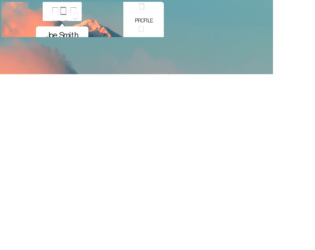
This is an example of a bootstrap animated profile card layout with hover effects, designed using HTML, CSS, and bootstrap framework 4. The images and icons are imported to the code with their URLs. Media queries have been used to increase the responsiveness of the form. The body of the form is given width as 100vw, height as 100vh, filter as blur (30px), and transform as scale(1.1). The profile card is designed using the CSS grid. The profile section is given the styles of transform-style as preserve-3d, transition as all 1s ease-in-out, and transition-delay as 0.1s. The profile image has the styles of border-radius as 50% to get the circular shape and cursor as pointer to get the hand cursor effect. In a hover event, the image takes a transform effect of rotateY(180deg) to display the backside icons. The font-family for content is given as 'Oswald', sans-serif. The bottom and right sections are given a text-transform style as uppercase to automatically convert the text to uppercase, whereas the icons on the right section turn their color to hsl(0, 0%, 20%), in a hover event.
Source: https://codepen.io/CrackAll/pen/abzjQwv
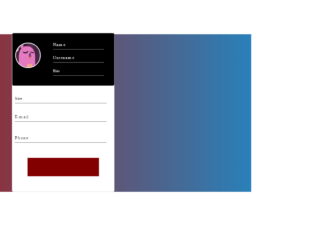
This is an example of a bootstrap animated profile card layout with hover effects, designed using HTML, CSS, and bootstrap framework 4. The images, CSS styles, and fonts are imported to the code with their URLs. The body of the form is given a linear gradient background color of linear-gradient (to right,#ac1816,#2980b9), and a font- family style as Montserrat. The profile card is given a width and a height of 30%, and 600px, border-radius as 5px, and background color as 600px. The profile picture is given a border style of 3px white solid. The content input section is given a background color of #535c68. The submit button is given a style set of width as 70%, and height as 70px, background color as RGB(131, 0, 0), transition effect as 0.7s, font-color as white, and font-size as 20px and cursor style as pointer to get the hand cursor effect. The button changes its background color to red, in a hover event.
Source: https://codepen.io/AranhaTM/pen/VwYGaOv
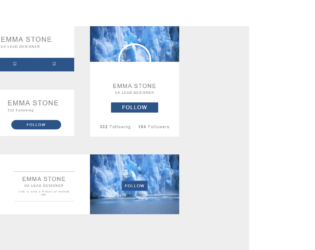
This is an example of a bootstrap user profile interface with hover effects, designed using HTML, CSS, and bootstrap framework 4. The images, icons, and fonts are imported to the code with their URLs. Media queries have been used to increase the responsiveness of the form. The body of the form is given the styles of font-family as 'Greycliff', sans-serif, background as #eeeeee URL("#"), tap-highlight-color as rgba(0, 0, 0, 0), font-size as 10px, and letter-spacing as 2px. The follow button text is given a font color of #ffffff, background color of #2d5488, and a transition effect of all 1s. The form is divided into four profile sections and given the styles accordingly. The profile name of each section has the styles of font-weight as 100, font-size as 2.2em, and color as #848484. The buttons are given a background color as #2d5488, which changes to #5486c9, in a hover event.
Source: https://codepen.io/vibham05/pen/RwNYbNz
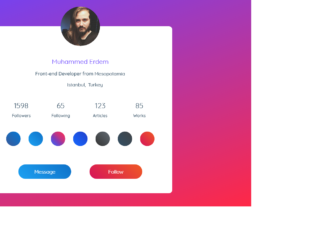
This is an example of a bootstrap profile card layout with hover effects, designed using HTML, CSS, and bootstrap framework 4. The images, icons, and fonts are imported to the code with their URLs. Media queries have been used to increase the responsiveness of the form. The body of the form is given a font family as 'Quicksand', sans-serif, and a background color as #324e63. A linear background image is set for the from background as linear-gradient(-20deg, #ff2846 0%, #6944ff 100%). The profile card has the styles of box-shadow: 0px 8px 60px -10px rgba(13,28,39,0.6), background as #fff, border radius as 12px, and position as relative. The image is given a height and a width of 150px, border-radius as 50%, to get the circular shape, and a box shadow as 0px 5px 50px 0px rgb(108, 68, 252), 0px 0px 0px 7px rgba(107, 74, 255, 0.5). The profile name has the styles of font-weight as 700, font-size as 24px, color as #6944ff, and margin-bottom as 15px, whereas the content is given the styles of font-size as 18px, font-weight as 500, color as #324e63, and margin-bottom as 15px. In a hover event, the blue button takes a box shadow effect of 0px 7px 30px rgba(19, 127, 212, 0.75), whereas the orange button takes 0px 7px 30px rgba(223, 45, 70, 0.75).
Source: https://codepen.io/mkupfer/pen/oNgPJyq
This is an example of a simple bootstrap profile card, designed using HTML, CSS, and bootstrap framework 4. The images, fonts, and icons are imported to the code with their URLs. The body of the form is given a style set of height as 100vh, display as grid, place-items as center, and background-image as linear-gradient (to top, #f3e7e9 0%, #e3eeff 99%, #e3eeff 100%). The profile card is given a transparent background color of hsla(240, 31%, 25%, 0.7). The card is given four borders as top, right, bottom, left and given border animations accordingly. The animations are slide-in-horizontal 0.8s cubic-bezier(0.645, 0.045, 0.355, 1) forwards, slide-in-vertical 0.8s cubic-bezier(0.645, 0.045, 0.355, 1) forwards, slide-in-horizontal-reverse 0.8s cubic-bezier(0.645, 0.045, 0.355, 1) forwards, and slide-in-vertical-reverse 0.8s cubic-bezier(0.645, 0.045, 0.355, 1) forwards, respectively. The card content is given the font-family style of Lato, sans-serif, and a transform effect of scale(0.6), and a transition effect of bump-in 0.5s 0.8s forwards. The image is given a border-radius of 50% to get the circular shape, whereas the user name is given a font-size of 26px, and animation of fill-text-white 1.2s 2s forwards.
Source: https://codepen.io/iam2r/pen/ZEYMgLG
This is an example of a simple bootstrap profile layout, designed using HTML, CSS, and bootstrap framework 4. The images, fonts, and icons are imported to the code with their URLs. The font family style for the form is set as 'Open Sans', sans-serif, whereas the form is given a background color of #009688, a width and a height of 100%, and the font-size as 16px. The profile card is given a style set of border-radius as 3px, background color as white, box-shadow as 0px 10px 20px rgba (0,0,0,0.2), whereas the content section of the card has the styles of width as 190px, and height as 300px, and background as cadetblue. The badges section is given the styles of background as #ECECEC, border-radius as 3px, and width as 480px. The image is given a border-radius of 50% to get the circular shape, whereas the name and designation headers are given a font-sizes of 1.8em, and 1.2em, respectively with the text style: Italic is given to the designation. CSS @keyframes is used to implement the animations in CSS. The profile card is given an appear animation effect of rotatemagic 0.75s cubic-bezier(0.425, 1.040, 0.470, 1.105) 1s both.
Source: https://codepen.io/kartikag1/pen/jOEewev
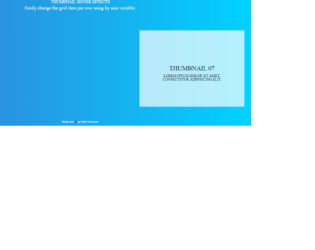
This is an example of a bootstrap grid layout used to display thumbnail details with hover effects, designed using CSS, HTML, and Bootstrap framework 4. The background images of the cards are imported to the code with their URLs. The number of grid items per row is defined as 3, and the gap between each item is set as 1, in CSS. The colors are predefined as primary-color: #333, secondary-color: #fff, and font-color: #fff. For the browser that does not support the grid layout, the background color is set as #00d2ff. The font family for the form is given as 'Roboto', sans-serif. The title of the form is given a style set of color as white, font-size as 30px, text-transform as uppercase to automatically convert the text to uppercase, and font-weight as 700, whereas the subtitle of the form is given the styles of font-size as 18px, and font-weight as 300. In a hover effect, the first card takes a transform effect of transformSkewScale (-45deg, 1), and a transition effect of (all 400ms cubic-bezier(0.175, 0.885, 0.32, 1.275)), whereas the second and third ones take transformSkewScale(45deg, 1), and transformSkewScale(45deg, 0) effects, respectively.
Source: https://codepen.io/nikhil8krishnan/pen/jbdXdr
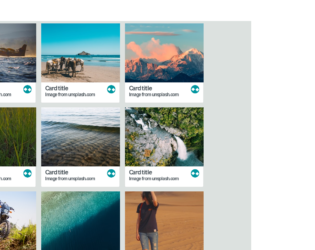
This is an example of a web form with a 3D fold-out reveal card preview, designed using HTML, CSS, and JavaScript. The background images of the cards are imported to the code with their URLs. JavaScript functions have been used to create 3D animations in a focused event. The font family of the form is set as Sans+Pro and imported into the code with its URL. The colors are predefined as variables and set as white: #ffffff, lightBG: #dce1df, salmon: #ff6666, teal: #0096a0, tealMid: #0ebac7, tealContrast: #33ffff, darkGrey: #4f585e, and tealShade: #007c85. The body of the form is given the styles of background: @lightBG, color: @darkGrey, font-family: 'Source Sans Pro', sans-serif, and text-rendering: optimizeLegibility. The cards are given an initial set of styles such as background: @white, display: inline-block, margin: 8px, max-width: 300px, perspective: 1000, position: relative, text-align: left, and transition: all 0.3s 0s ease-in. The cursor is set as pointer to display the cursor as a hand, in a focus event on cards.
Source: https://codepen.io/candroo/pen/wKEwRL
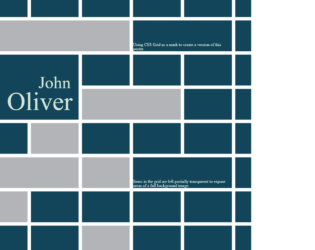
This is an example of a web form where the CSS grid is used as a mask to create a poster. It is designed using CSS, HTML, and Bootstrap framework 4. The CSS grid is displayed in 14 rows, which are defined in HTML. The background image is imported to the code with its URL. The background color of the HTML form is given as #124559, with the background-size set as 100vw. The body of the form is given a style set of font-family as 'Roboto Slab', serif, font-size as1.8vw, and color as #D3E6D9. The name of the person is displayed with the styles font-family as 'Rozha One', serif, position as relative, and font-size as 5vw. The items in the grid are left partially transparent to expose areas of the background image by changing the placement of the grid rows and columns with changing the value of grid-column-end: span and grid-row-end: span. The images and bootstrap styles are imported to the code with their URLs.
Source: https://codepen.io/andybarefoot/pen/wrXvLj
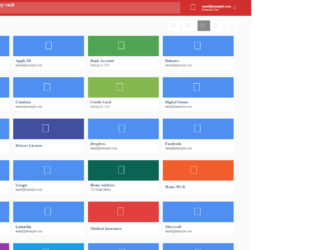
This is an example of a vault layout web form designed using CSS and HTML. CSS grid view elements have been used to separate and organize the displaying sections whereas Flexbox is used to get an identical layout for the browsers that don't support the CSS grid. The concept of Lists has been used with UL and LI components. UL element has been used with the child elements of LI to display the unordered list. The default font size for the form is set to 10px. The body is given the style set of font-family as "Open Sans", Arial, sans-serif, display as flex, min-height as 100vh, background-color as #fafafa, and position as relative whereas the buttons are given the styles of font-size as inherit, font-weight as inherit, color as inherit, display as flex, justify-content as center, align-items as center, and cursor as pointer to display the cursor as a hand. The header is given a background color of #d12f2e and the search input field is given a color of rgba(255, 255, 255, 0.3) in a hover event.
Source: https://codepen.io/GeorgePark/pen/PQweLr
This is an example of a website header with a bootstrap carousel, designed using HTML, CSS< JavaScript and Bootstrap framework 4. The images and bootstrap styles are imported to the code with their URLs, whereas JavaScript had been used to implement carousel features. The concept of Lists has been used with UL and LI components. UL element has been used with the child elements of LI to display the details in an orderly manner. Media queries have been used to increase the responsiveness of the form. The nav-bar is given the styles of font-family as Verdana, color as #ffffff, and font-size as 20px. The background color for the nav-bar is set as transparent to make the menu transparent. The carousel image is given a linear gradient background color of linear-gradient ( rgba(0, 0, 0, 0.5), rgba(0, 0, 0, 0.5)), and a transform effect of translate3d(0, 0, 0). The title is given a font-weight of 600, and a font-size of 60px, whereas the subtitle is given a font-size of 23px. The explore button is given the background color #FF4000.
Source: https://codepen.io/arian-atapour/pen/xxbYxGW