This is an example of a subscription form with validation, designed using HTML, CSS, JavaScript, and Bootstrap framework 4. The fonts, CSS, and Bootstrap styles are imported to the code with their URLs. The concept of Lists has been used with UL and LI components. UL element has been used with the child elements of LI to display the details in an orderly manner. JavaScript functions have been used to validate the name, email, and message details. The input fields of the form are given the styles of position as relative, display as block, width as 100%, font-size as 18px, color as #555555, line-height as 32px, padding as 15px 30px, border as 1px solid #f1f1f1, background-color as #f1f1f1, font-weight as 400, and height as 64px. The input fields take the border-color of #f20487, in a focus event. The text-area for the message section is given a height of 156px. The Submit button is given a text-transform style as capitalize to make the first letter of each word uppercase.
Source: https://www.tolmatol.com/form-validation/
This is an example of a price ticket form with hover effects, designed using HTML, CSS, and Bootstrap framework 4. The CSS and Bootstrap styles are imported to the code with their URLs. The concept of Lists has been used with UL and LI components. UL element has been used with the child elements of LI to display the ticket details in an orderly manner. The form is given a background color of #fafafa, whereas the price block is given the styles of position as relative, background-color as #ffffff, padding as 30px 30px 25px, max-width as 300px, border as 1px solid #dddddd, box-shadow as 0 20px 40px rgba(0,0,0,0.07), and transition as all 500ms ease. The price block takes a box-shadow effect of 0 0 0px rgba(0,0,0,0.07), in a hover event. The card title has the styles of font-size as 20px, line-height as 1.2em, font color as #212639, font-weight as 500, and text-transform as uppercase to convert each letter of the word to uppercase. The price label takes the effects of padding-right as 80px, whereas the But Ticket button takes the effect of transform as scale(1, 1), in a hover event.
Source: https://www.tolmatol.com/price-ticket/
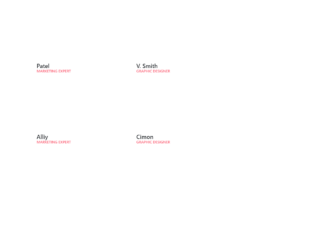
This is an example of a card layout that displays the team profile, designed using HTML, CSS, and Bootstrap framework 4. The fonts, CSS and Bootstrap styles, images, and icons are imported to the code with their URLs. The form is given the styles of background-color as #ffffff, text-align as center, box-shadow as 5.5px 9.526px 43px 0px rgba( 98, 143, 144, .15 ), border-radius as 10px, padding as 40px 0 35px 0, and margin-bottom as 30px. The team member image is given a border-radius as 100% and a width as 100% to get the circle shape. The profile name is given a font-size of 22px, whereas the designation is given the styles of font-size as 14px, color as #fb5c71, text-transform as uppercase to automatically convert all the letters to uppercase. The Facebook, Instagram, and Twitter icons are givene different background colors such as #3973e8, #f74d91, and #29bfe8.
Source: https://www.tolmatol.com/our-team-3/
This is an example of a newsletter subscription form designed using HTML, CSS, and Bootstrap framework 4. Bootstrap styles and fonts are imported to the code with their URLs. The form is given the styles of display as table, width as 100%, padding as 27px 40px, background-color as #1c0c2b, margin-top as 45px, border-radius as 3px, and position as relative. The newsletter section has the styles of max-width as 835px, text-align as center, and padding as 27px 0 10p. The font family or form is set as "FontAwesome". The email input field is given the styles of background-color as transparent, width as 74%, margin-right as 25px, height as 47px, font-size as 14px, border-bottom as 1px solid rgba(255,255,255,.06), font color as #fff, and box-shadow as 0 0 0 1000px transperent inset. The submit button has the styles of height as 47px, width as 170px, border-radius as 5px, font-weight as 600,font-size as 15px, background-color as #fd226a, and font color as #fff.
Source: https://www.tolmatol.com/newsletter-3/
This is another example of a simple login form, designed using HTML, CSS, and Bootstrap framework 4. Bootstrap and CSS styles are imported to the code with their URLs. The form is given a background color of #f1f7fc. The content card of is given the styles of max-width as 320px, width as 90%, background-color as #ffffff, padding as 40px,border-radius as 4px, font color as #505e6c, and box-shadow as 1px 1px 5px rgba(0,0,0,0.1). The input fields are given the styles of background as #f7f9fc, border-bottom as 1px solid #dfe7f1, color as inherit, text-indent as 8px, and height as 42px. The Log-in button has a background style of #f4476b, and a border-radius of 4px. The button takes the background color of #eb3b60, in a hover event. The Forgot Password link has the styles of font-size as 12px, font color as #6f7a85, opacity as 0.9. It changes its opacity value to 1 when it's active or in hover mode.
Source: https://epicbootstrap.com/snippets/login-form-clean
This is an example of a simple contact us form, designed using HTML, CSS, and Bootstrap framework 4. The CSS and Bootstrap styles are imported to the code with their URLs. Media queries have been used to increase the responsiveness of the form. The form is given a background color as #f1f7fc. The content card is given the styles of max-width as 480px, width as 90%, background-color as #ffffff, padding as 40px, border-radius as 4px, color as #505e6c, and box-shadow as 1px 1px 5px rgba(0,0,0,0.1). The font-size for the title of the form is set as 24px with the font-weight as bold. The input fields take a border effect of 1px solid #b2b2b2, in a focus event. The send button is given a style set of padding as 16px 32px, opacity as 0.9, text-transform as uppercase to automatically convert the text to uppercase, font-weight as bold, font-size as 13px, letter-spacing as 0.4px, and line-height as 1. The button is given a background color of #055ada, and a font color of #fff, and changes its opacity to 1, in a hover event.
Source: https://epicbootstrap.com/snippets/contact-form
This is an example of registration with the validation option, designed using HTML, CSS, JavaScript, and Bootstrap framework 4. The icons, CSS styles, and Bootstrap styles are imported to the code with their URLs. The body of the form is given a background color of #dee9ff. Media quarries are used to increase the responsiveness of the form. JavaScript functions are used to implement the date and phone number validation of the form. The registration form icon has the styles of text-align as center, background-color as #5891ff, border-radius as 50% to get the circle shape, font-size as 40px, color as white, width and height as 100px, margin as auto, margin-bottom as 50px, and line-height as 100px. The Create Account button has the styles of border-radius as 30px, padding as 10px 20px, font-size as 18px, font-weight as bold, background-color as #5791ff, color as white, and margin-top as 20px. The social media icons change their opacity to 0.6, in a hover event.
Source: https://epicbootstrap.com/snippets/registration
This is an example of a simple footer layout with columns, designed using HTML, CSS, and Bootstrap framework 4. The CSS styles and Bootstrap styles are imported to the code with their URLs. The concept of Lists has been used with UL and LI components. UL element has been used with the child elements of LI to display the footer items in an orderly manner. The form is given the styles of background-color as #fff, and font color as #4b4c4d. The column titles are given the styles of margin-bottom as 12px, font-weight as bold, and font-size as 16px, whereas the column list items are given the styles of line-height as 1.6, and font-size as 14px. The list items take the opacity value of 1, in a hover event. Media quarries are used to increase the responsiveness of the form. The social media icons are given the styles of font-size as 24px, width and height as 24px, line-height as 40px, display as inline-block, text-align as center, border-radius as 50% to get the circle shape, border as 1px solid #ccc, margin-left as 10px, margin-top as 22px, and opacity as 0.75. The social media icons change their opacity to 0.9, in a hover event.
Source: https://epicbootstrap.com/snippets/footer-with-columns
This is an example of a pricing table, designed using HTML, CSS, and Bootstrap framework 4. The Bootstrap styles, CSS styles, and Font styles are imported to the code with their URLs. The form is given the styles of background-color as #eee, and font-family as 'Montserrat', sans-serif. The table heading is given a font color of #3b99e0, whereas the content section is given the styles of text-align as center, max-width as 420px, margin as auto, and opacity as 0.7. The pricing card has the styles of background-color as #ffffff, box-shadow as 0px 2px 10px rgba(0, 0, 0, 0.075), border-top as 2px solid #5ea4f3, and padding as 30px. The banner in the middle price card is given a style set of width as 160px, height as 32px, font-size as 12px, text-align as center, color as #fff, font-weight as bold, box-shadow as 0px 2px 3px rgba(136, 136, 136, 0.25), background as #4dbe3b, transform as rotate(45deg) to rotate the banner, and padding-top as 7px. The price label is given the styles of margin as 15px 0, font-size as 45px, text-align as center, and font color as #2288f9.
Source: https://epicbootstrap.com/snippets/pricing-table